
What Is Prompt Poisoning and How to Protect Your AI from It
October 15, 2025
Learn about prompt poisoning attacks in AI systems and practical strategies to secure your applications from hidden malicious instructions.
Learn how DBSC protects session renewal, what your backend needs to support, and how to plan a secure integration with any technology stack.
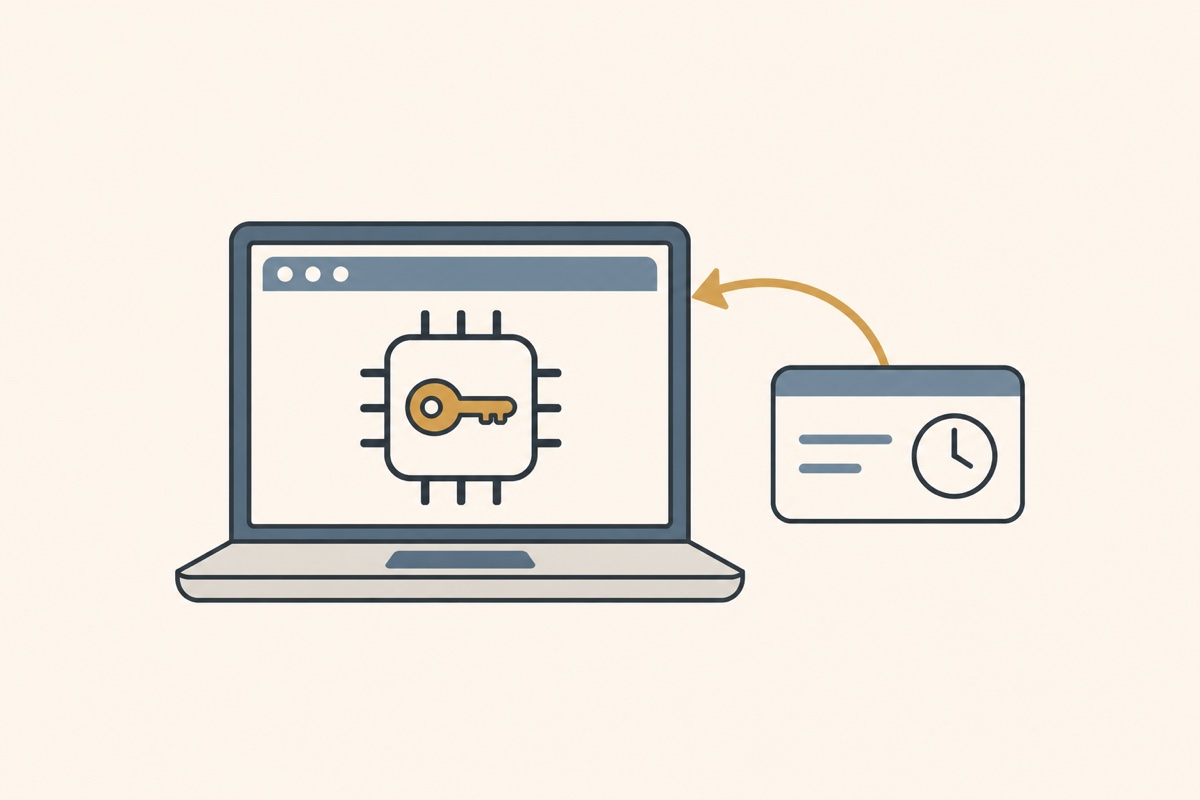
You log in to an application. You enter your password, approve the MFA prompt, and start working. The application gives your browser a session cookie so you do not have to repeat that process on every page.
But what happens if someone steals that cookie?
In a typical cookie-based session, the attacker may be able to use it from another machine. They do not need to know your password or pass the MFA check again. They already have the thing your application accepts as proof that you signed in.
Device-Bound Session Credentials, or DBSC, helps reduce this problem by making session renewal depend on a private key managed by the browser. For a session securely registered to a protected key, a copied cookie can still work for a short time, but it cannot independently satisfy proof-based renewal. Chrome describes this as an additional layer of protection for existing authentication systems. Chrome’s DBSC guide
DBSC works through HTTP headers and endpoints, so it is not tied to a backend language or framework. Whether your application uses PHP, Go, Python, Java, .NET, or Node.js, the same protocol applies. Your backend needs to implement registration, verify cryptographic proofs, and manage session renewal. Browser and platform support still determine whether native DBSC is available to a user.
In this blog, we’ll walk through the integration flow and security decisions. You can apply them using your backend’s HTTP, cryptography, and session-management tools.
The storage choices are flexible too. Use a database for durable session records and a cache or temporary store for challenges. Choose tools that support the consistency, expiration, and atomic operations the flow requires.
Think of a session cookie as a visitor pass. Anyone holding the pass can use it until it expires. Making the pass expire sooner helps, but only if getting a replacement requires something the thief does not have.
That is the useful part of DBSC.
The browser creates a key pair. Your backend stores the public key. The browser keeps the private key and uses it to prove that it can renew the session. Where supported, secure hardware helps protect that private key from being exported.
Your application still uses cookies for normal requests. The cryptographic proof happens during session renewal, rather than on every API call. DBSC explainer
DBSC does not attest to a particular device or prove to the server that a key is hardware-backed. Malware present during registration may arrange for an attacker-controlled key; malware inside an already signed-in browser may still act locally. The protection depends on trustworthy registration and key storage. DBSC security considerations
Most of the work belongs in the backend. The frontend can keep making its usual cookie-based requests.
| Component | Responsibility |
|---|---|
| Frontend | Make normal API calls with cookies |
| Backend authentication | Start registration after a successful login |
| Backend DBSC endpoints | Verify registration and renewal proofs |
| Database | Store session records, public keys, expiration, and revocation |
| Cache | Store temporary challenges and manage replay protection |
| Chrome | Manage the private key and request cookie renewal |
We are extending the existing session system. Passwords, MFA, authorization checks, and logout still have their own jobs.
The examples below explain the integration points. They are not a complete backend implementation. This guide follows the W3C Editor’s Draft dated September 8, 2026 for protocol details. Chrome’s introductory guide was last updated in April 2025 and does not cover every draft feature. The draft describes the protocol being developed; deployed Chrome behavior determines what you can use. Test the specific version and platform before relying on newer features. W3C DBSC draft
Before adding the endpoints, make sure you have an existing login flow, HTTPS, and a way to check server-side session state. Decide which operations require a device-bound session and what unsupported browsers can access.
Start with the frontend and API on the same origin. Cross-origin does not mean cross-site: subdomains can share a site, while unrelated registrable domains cannot share one DBSC scope. Registration, refresh, and scope must meet the draft’s same-site rules. Site-wide scope registered through a subdomain also needs the prescribed /.well-known/device-bound-sessions authorization. CORS alone cannot make an unsupported arrangement work.
Chrome’s guide excludes Partitioned cookies and notes that blocking third-party cookies can prevent renewal of third-party bound cookies. Check your target platforms against Chrome’s DBSC availability announcement, then test the actual deployment.
After the backend authenticates the user, it can invite a supported browser to register a device-bound session through a response header:
Secure-Session-Registration: (ES256 RS256);path="/auth/dbsc/register";challenge="random-challenge";authorization="single-use-login-context"Chrome can then contact the registration endpoint and submit a signed proof containing its public key. This is separate from the original login request. Chrome’s registration flow
That separation matters. The endpoint must establish which authenticated login is allowed to register the key. Receiving a public key is not enough.
In this example, generate fresh values for challenge and authorization. Verify that the proof’s jti matches the registration challenge and its authorization claim matches the single-use login context. Bind that context to the authenticated user and consume it atomically. After registration succeeds, transition to short-lived cookies.
Also check the original login cookie. If it remains valid for protected API access, an attacker could use that cookie to bypass the device-bound session entirely.
Once the backend has validated the registration context and signed proof, it can create a session record in the database.
A session record needs these fields:
| Field | Purpose |
|---|---|
sessionId, userId | Identify the session and its owner |
publicKeyJwk, algorithm | Store the verified public key and supported signing algorithm |
status | Track whether the session is active or revoked |
createdAt, lastRefreshedAt | Track creation and renewal times |
expiresAt | Enforce the session’s absolute expiration |
The public key must come from a verified registration proof. Generate the session identifier with a cryptographically secure random generator. Add a unique index on sessionId and an index on userId for account-level session management.
The private key stays with the browser. Your backend should never request or store it.
Enforce expiresAt when checking sessions. If your database supports automatic expiration or you use a scheduled cleanup job, treat that as storage cleanup rather than an authorization check.
Registration also returns session instructions. These describe the session identifier, refresh URL, request scope, and cookies that Chrome should maintain. The protocol defines fields including session_identifier, refresh_url, scope, and credentials. DBSC session instruction format
Keep the scope as narrow as practical. The configured cookie name and attributes must match the cookie your backend actually issues.
For an initial application policy, consider cookies that last five to ten minutes, then tune that interval using refresh latency, server load, and the exposure window you can accept. This is a starting policy, not a protocol requirement.
Use HttpOnly, Secure, and an appropriate SameSite setting. DBSC adds protection to the session lifecycle; ordinary cookie security still matters.
Here is a simplified renewal exchange:
Chrome → Backend: Request session refresh
Backend → Chrome: Return a challenge
Chrome → Backend: Return a signed proof
Backend: Verify the session, key, and challenge
Backend → Chrome: Issue a new short-lived cookie
The protocol uses Sec-Secure-Session-Id to identify the session, Secure-Session-Challenge for the challenge, and Secure-Session-Response for the proof. A 403 challenge response can request a fresh proof during renewal. DBSC protocol headers
This endpoint needs stricter handling than simply decoding a JWT. Our backend should:
typ: dbsc+jwt and explicitly allow ES256 or RS256. Reject alg: none for this proof-based design, even though the draft permits an unsigned mode.jti, according to the protocol version being implemented.Reject any jwk header in a refresh proof; use only the stored key. Browsers may renew proactively, so do not assume renewal happens only after cookie expiration.
Response codes affect browser state: use 403 with a fresh challenge for a recoverable stale proof. Other 4xx responses terminate the browser’s DBSC session, except 407 and 429. Network errors, 429, and 5xx do not terminate it; browsers may back off. Use bounded recovery rather than endlessly rechallenging invalid proofs.
Harden the refresh endpoint against login-state timing leaks: require a valid session identifier, restrict credentialed cross-site CORS access, and refuse embedding. Where supported, narrowly configure allowed_refresh_initiators; framing restrictions alone do not prevent refresh-trigger timing leaks.
A cache that supports expiration and atomic operations is a useful place for temporary challenge state. For example, our application could use keys shaped like this:
dbsc:challenge:<sessionId>:<challengeId>Generate challenges with secure randomness and rate-limit renewal attempts. A 30–60 second lifetime can be a starting policy for challenges issued during the immediate 403 exchange. Challenges sent ahead of time may sit in the browser cache until a later renewal; account for that delay or expect a fresh-challenge round trip. Never accept stale proofs just to avoid that round trip.
The tricky part is concurrency.
Two legitimate requests can overlap. A response to an older challenge might arrive after a newer challenge has been issued. If issuing a new challenge immediately deletes every previous one, normal users may get logged out because of timing alone.
Keep a bounded set of outstanding challenges. Handle consumption atomically, and define whether a duplicate proof is rejected or receives a tightly bounded idempotent result. A retry must not become an unlimited source of fresh cookies.
The frontend can continue making ordinary cookie-based API requests. Keep the existing credential handling and authentication error handling, including the path that sends users back to sign in when their session ends.
Chrome handles the native DBSC exchange. The frontend does not need its own signing library or private-key storage. That is one of the practical benefits of integrating at the browser and backend level. Browser-managed refresh
Suppose a user signs out or an administrator revokes their session. Blocking the next refresh is only part of the job.
The short-lived cookie already issued must also stop authorizing requests. Every protected request should check authoritative session status, either directly or through a cache with immediate revocation updates.
If the cache holds session state, revoke or invalidate that entry as part of logout. Do not allow a stale cache entry to keep granting access.
The same rule applies to absolute session expiration. Successful renewals should not turn a session into something that lasts forever. To clear browser-side DBSC state, session instructions can set "continue": false; the draft also integrates with Clear-Site-Data. Neither replaces server-side revocation.
There is another path worth examining before rollout: creating a new session through an existing SSO login.
Imagine malware briefly controls a signed-in browser. If the identity provider allows a new application login without fresh authentication, the attacker may try to register a new session with an attacker-controlled key.
The original session can be protected while the new-session flow still allows abuse.
Review OAuth and OIDC registration paths with this scenario in mind. Sensitive registration may need fresh authentication or an appropriate binding to the identity-provider session. DBSC by itself does not establish whether a new key registration is trustworthy. The draft also defines federated key sharing through provider_key, provider_session_id, provider_url, and mutual well-known opt-in. If you adopt that mechanism, validate browser support and accept only the expected provider key.
Fallback should be an explicit application policy.
| Situation | Application behavior |
|---|---|
| Native DBSC is available | Establish a device-bound session |
| DBSC is unavailable | Apply the approved conventional session policy |
| Renewal temporarily fails | Allow bounded recovery, then require authentication again |
| The device key is lost | Require authentication and register a new session |
| The session is revoked | Deny API access and renewal |
| An operation requires stronger assurance | Enforce that requirement on the server |
A fallback cookie must never satisfy an endpoint that requires proof-based renewal. Track successful registration and the applicable access policy server-side; a session identifier is not proof of possession or hardware attestation.
Chrome documents an optional long-lived fallback cookie. If that cookie alone can mint credentials accepted by protected endpoints, it weakens the stolen-cookie protection described here. Make that resilience trade-off explicit.
Chrome may skip renewal and send a request without the bound cookie. Where implemented, Secure-Session-Skipped reports reasons such as unreachable, server_error, or quota_exceeded. Use it for diagnostics, never as authorization.
Similarly, database or cache failures must not cause the application to skip session validation or challenge checks. Recovery behavior should preserve the access policy.
DBSC gives us a practical way to reduce the value of stolen session cookies while keeping the familiar cookie-based application model.
The main work sits in the backend: authorize registration, verify proofs, and renew short-lived cookies. The database keeps durable session state, the cache manages temporary challenges, and the frontend keeps making API calls.
For a session registered without compromise, protected key storage and enforced proof-based renewal prevent a stolen cookie alone from independently sustaining access elsewhere. That benefit depends on careful registration, revocation, SSO, and fallback policies. It is not a guarantee against a compromised device or attacker-controlled registration.
October 15, 2025
Learn about prompt poisoning attacks in AI systems and practical strategies to secure your applications from hidden malicious instructions.

April 19, 2025
Explore the latest trends and best practices shaping web development in 2025, from advanced frameworks to performance optimization techniques.